Kizuna Chrome Extension
Install the Chrome extension to bring Kizuna's review intelligence directly into your screening workflow.
Version 1.7.1
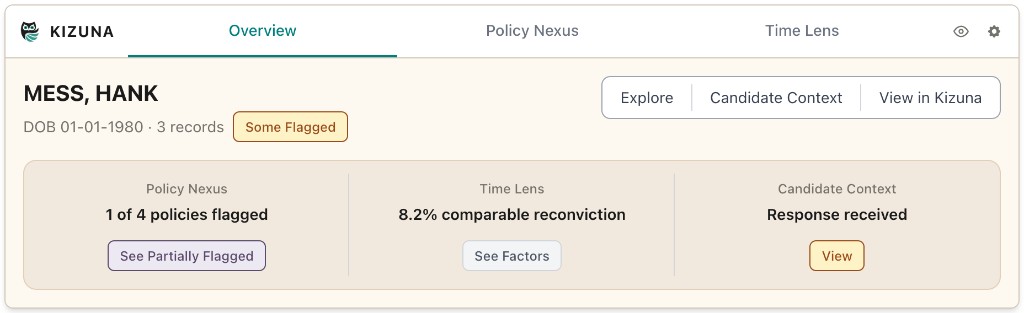
Preview
Installation
How to install
- 1
Download the file
Click the button above to download
kizuna-extension.zipto your computer. - 2
Unzip the file
Double-click the downloaded
.zipto extract it. You'll get a folder — keep note of where it is. - 3
Open Chrome Extensions
Navigate to
chrome://extensionsin your browser's address bar. - 4
Enable Developer Mode
Toggle the Developer mode switch in the top-right corner of the extensions page.
- 5
Load the extension
Click Load unpacked, then select the folder you extracted in step 2.
- 6
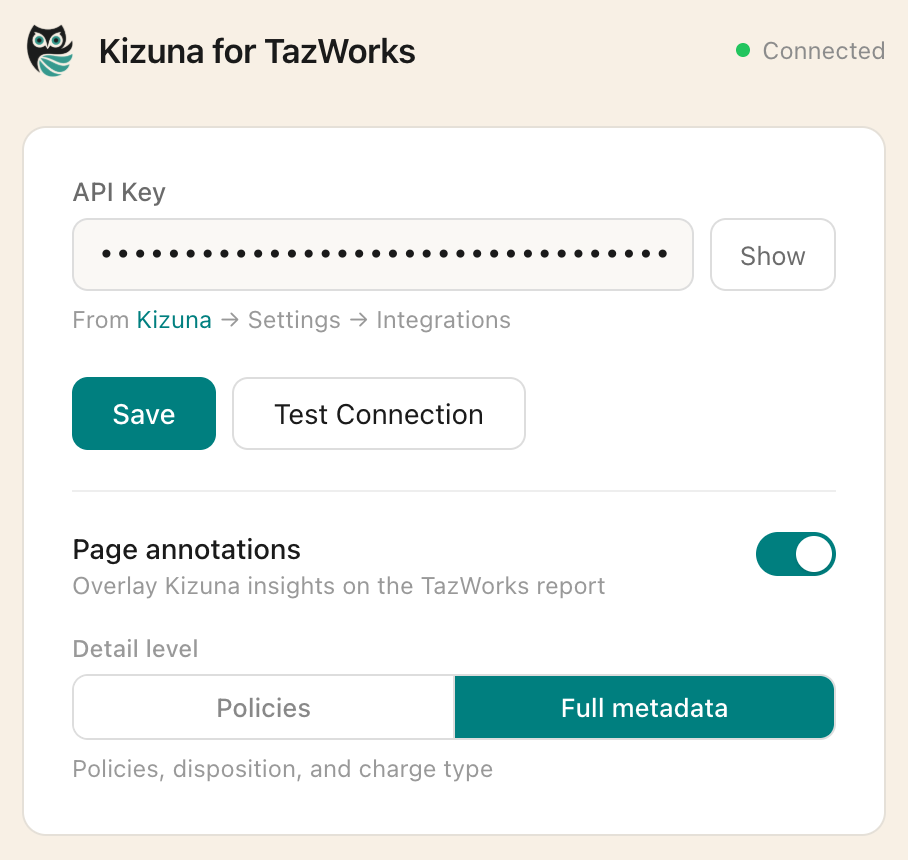
Add your API key
The extension settings will open automatically. To get your API key, go to Settings → Integrations in your Kizuna dashboard, give the key a name, click Generate Key, and copy the key that appears. Paste it into the extension settings and hit Save.
-
You're all set
Kizuna will appear in your Chrome toolbar. Open any screening report to see it in action.
Questions? Reach out at igor@kizuna.solutions.